Start with the size limit
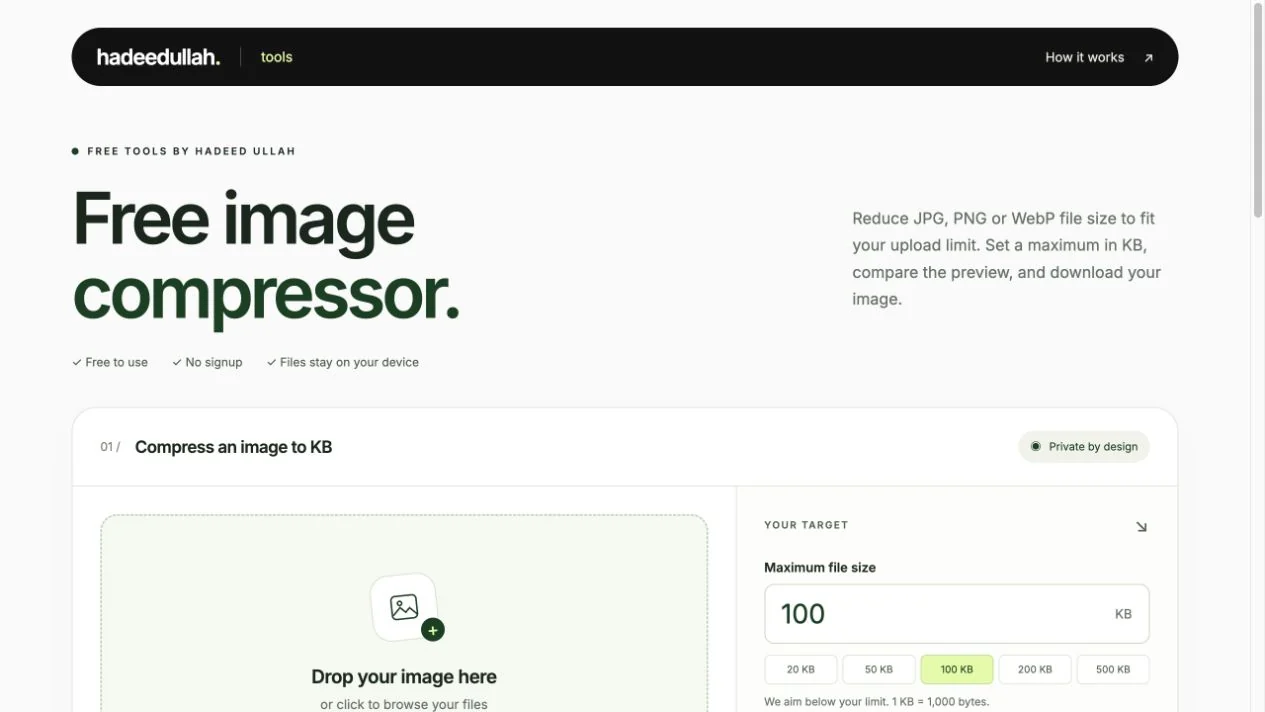
Common presets—20, 50, 100, 200 and 500 KB—sit alongside a custom target. A successful result must be smaller than the chosen limit.
An image compressor for the moment a form says “file too large.” Set a size in KB, check the result, and download a JPG, PNG or WebP image—all inside your browser.
Free to use. No signup required.
Product direction, UX and MVP development
Reduce an image to a maximum file size
Public MVP · Ongoing testing
Job applications, admission forms and other online services often put a size limit on photo uploads. A user may have the right image but no clear way to make it smaller than 100 KB or 200 KB.
A quality slider asks the user to guess. The product starts with the constraint they already know: the maximum file size.
Common presets—20, 50, 100, 200 and 500 KB—sit alongside a custom target. A successful result must be smaller than the chosen limit.
For JPEG and WebP output, the tool adjusts quality before reducing dimensions. Optional resizing preserves the aspect ratio when a smaller image is needed.
Users choose JPG, PNG or WebP, compare previews and inspect the result at 100%. Converting transparency to JPEG uses a white background.
Image processing runs in the browser. There is no image upload, account requirement or server-side storage in the MVP.
Select one supported image, enter a size limit and choose an output format. After compression, review the file size, dimensions and preview before downloading.
Changing the settings hides the previous download so an old result cannot be mistaken for the new one.
The local suite covered file-size targets, dimensions, transparency, invalid inputs and cancellation. In one download test, a 2.06 MB PNG became a 97,229-byte JPEG while retaining its 1200 × 800 dimensions.
Controlled MVP tests, not customer results. Compression varies by image and output format.
The MVP handles one image at a time, with a 25 MB input limit. Animated PNG and WebP files are rejected. Lower size targets can reduce detail or require smaller dimensions.
Testing so far covers one browser engine and a narrow-screen layout. Cross-browser and physical-device checks remain on the testing roadmap; there are no adoption or revenue results yet.
The MVP is now available to try. Next, validate it with everyday upload tasks and broaden testing across browsers and physical devices.
The first questions are practical: can people meet the size limit, is the result still readable, and do they understand when dimensions change?
Open the image compressor ↗